One desk for every proof of value
SE Desk follows a POC from the first call to the signed decision and the handover. Here is each part, shown on the real app with made up clients.
Every client, on one board
Discovery, Demo, Workshop, POV Live, Decision. Drag a card when a deal moves, or approve the stage SE Desk proposes from the client’s own emails. A deal that goes quiet is marked on the board, so it gets a call before it gets lost.
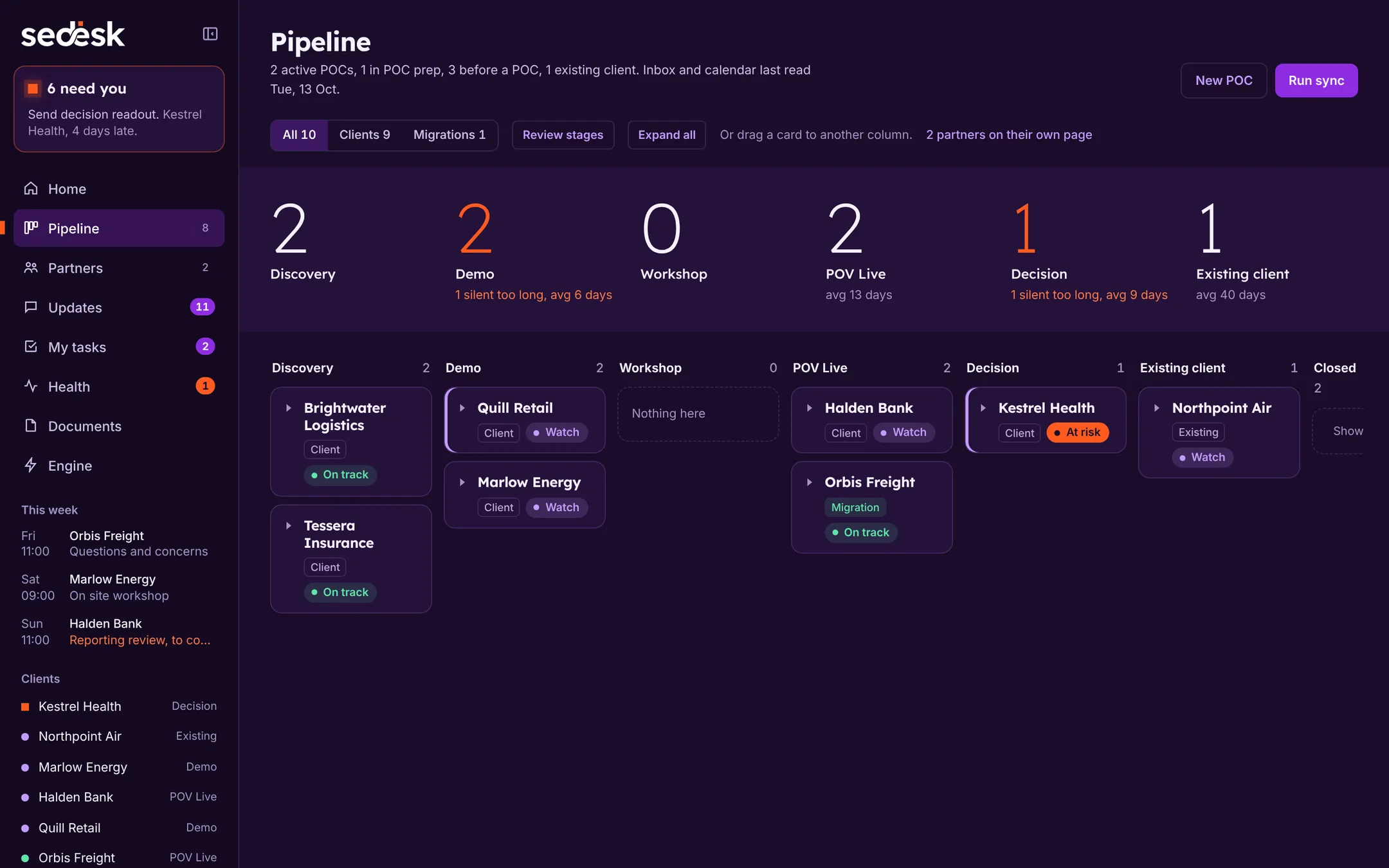
After Decision, a won client moves to Existing client, where the work is workshops, training and migrations.
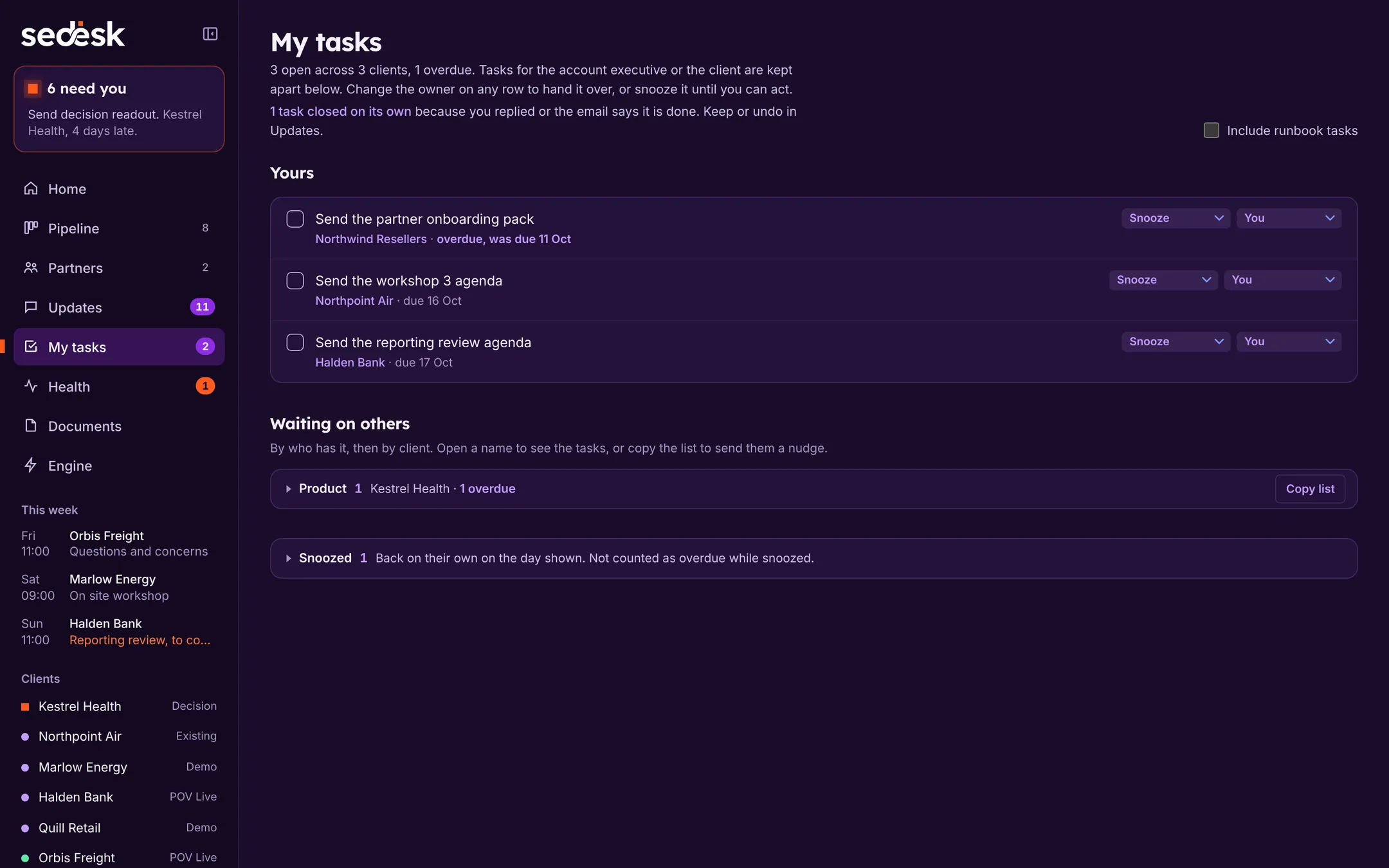
A workspace for each POC
Everything about one evaluation sits in one place, built up as the POC runs rather than written up at the end.
- Success and kill criteria
- Agreed up front. Each success criterion carries its proof; each kill criterion is cleared or not.
- Use cases
- What the client is trying to prove, in their words.
- Questions log
- Every client question, who is answering it, and the answer.
- Workshop runbook
- Prep tasks and minimum requirements, brought in when you start POC prep.
- People and meetings
- Who you met, when, and the history of every thread with them.
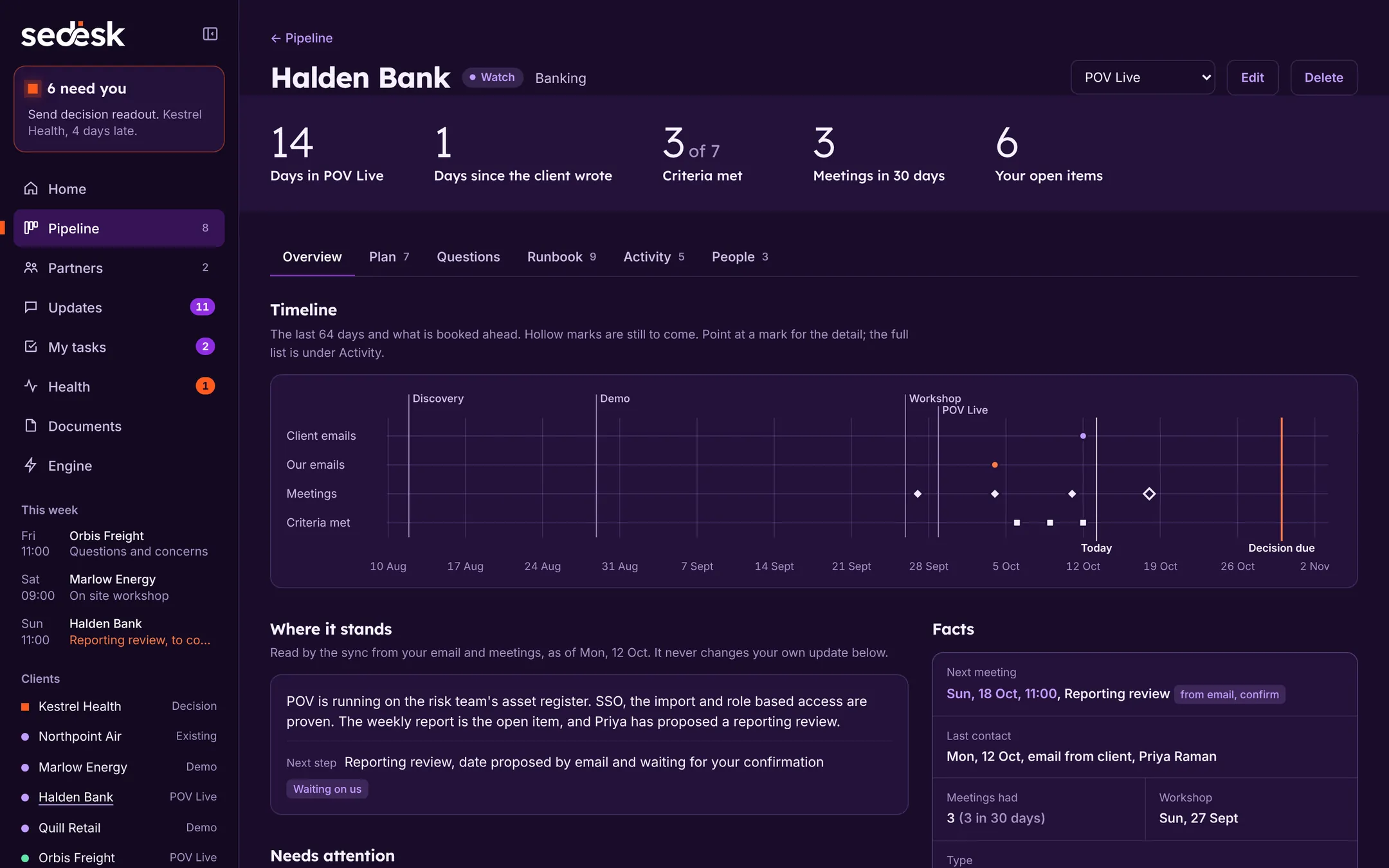
Updates, read from your email
SE Desk reads each client's mail and meetings, each time you run it, and proposes what should change. One card per client, with the part that needs you open.
- Four kinds of task
- Client asked, we promised, client promised, reply owed. Each comes with its quote and a link to the message.
- Proposals, not changes
- Tasks, criteria, questions, contacts and stage all wait for your approval. Only meeting dates are filled in on their own, for you to confirm.
- Quiet by design
- At most three new action items per client per run, and nothing from email older than 60 days.
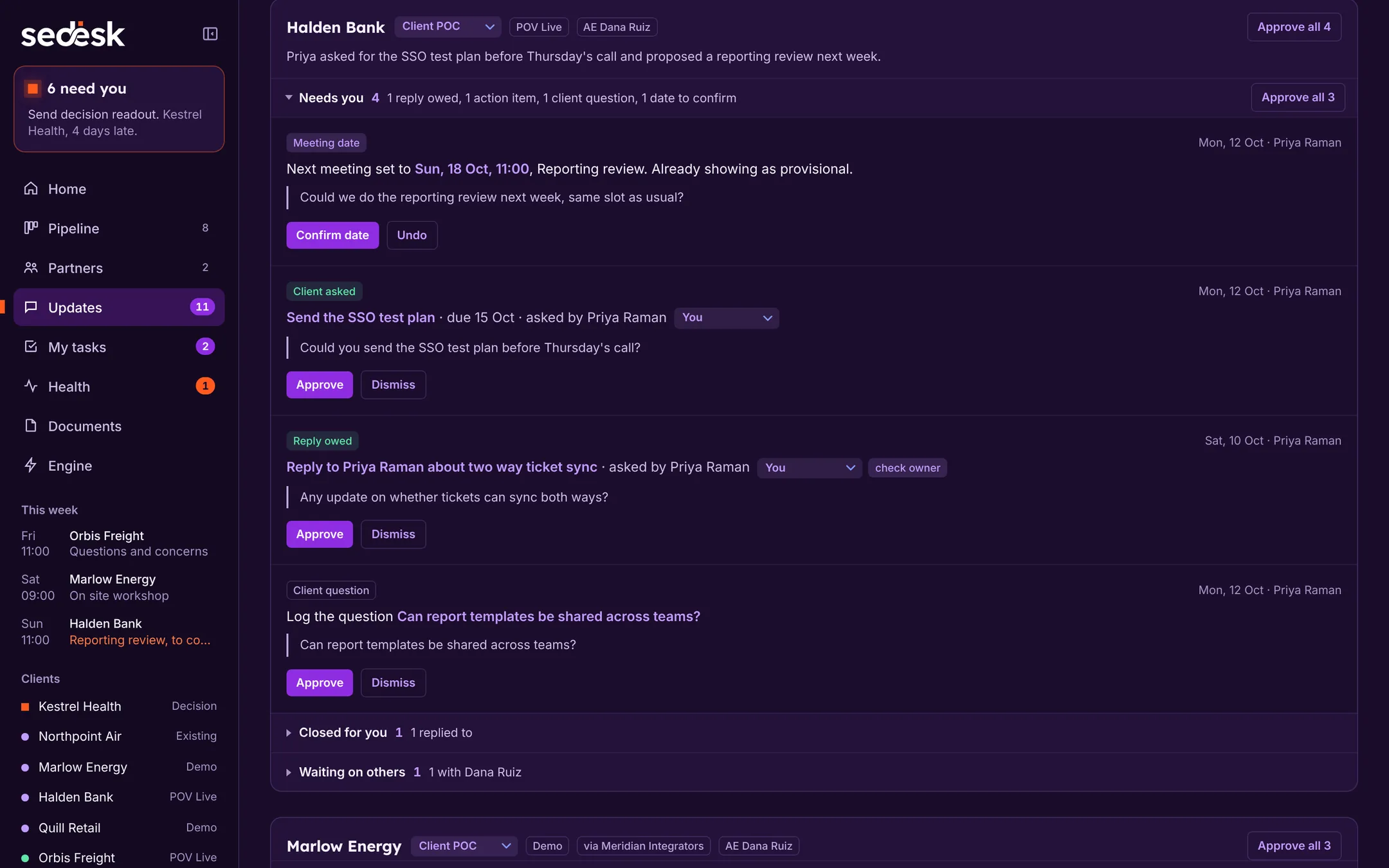
Know who owns what
Every task has an owner: you, the AE, the client, a partner or the CSM. My tasks shows what is yours across every client, and only your own overdue tasks count against a POC.
SE Desk decides the owner from who is named and who made the promise. When it can’t tell, the item comes to you marked to check.
Emails and reports, filled in from the record
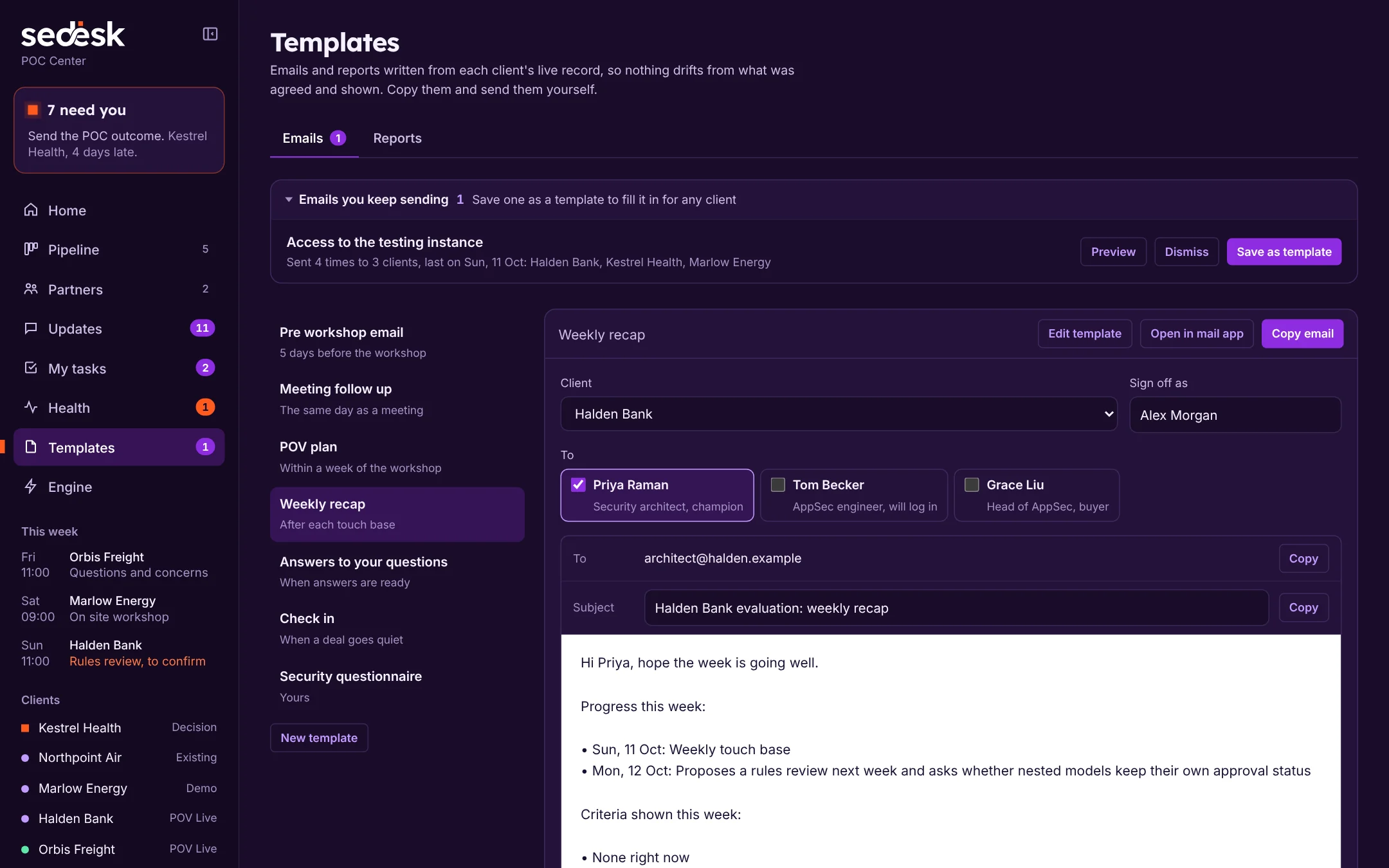
Pick a template, the client and the people it goes to. Names, dates, criteria, open questions and promises fill in from the record; anything not recorded yet is marked for you to fill in. Copy it or open it in your mail app, then send it yourself.
| Pre workshop email | Their minimum requirements and success criteria, 5 days before the workshop |
|---|---|
| Meeting follow up | What you will do and what they will do, the same day |
| POV plan | Scope, test items and what would end it early |
| Weekly recap | Progress, criteria shown and what you need from them |
| Answers to questions | Their questions with your answers, and what is still open |
| Check in | When a deal goes quiet |
| Your own | Write any email once, or change a starter to your words |
| Spotted for you | Emails you keep sending to clients, offered as templates |
| Friday report | Report: every client, for your manager and AEs |
| CSM handover | Report: everything Customer Success needs once you win |
| POC outcome | Report: every criterion with its evidence, and the decision |
Run it your way
Your own steps, side flows and templates today. Your own stages and approvals, built for you.
Also in SE Desk
- Health
- Every live client in one view: active POCs, those at risk, your overdue tasks, open questions and criteria met.
- Runbook
- The steps for each stage as a process map. Admins set the team runbook; you can keep your own copy and add flows of your own.
- New opportunities
- Client domains found in your inbox that aren't on the board yet, proposed in Updates for you to accept.
- Partners
- Partners get their own page and stages, from recruiting to active, with the opportunities that run through them.
- Migrations
- A lighter track for existing customers: six tasks in three steps, ending in the handover to Customer Success.
- Wins and losses
- Close each deal with its outcome, the reason and who it was up against, so you can see the pattern.
Coming next
Being built now, with our early access teams.
Works inside Claude
Ask “What’s stalled this week?” or “Draft my Friday report” from Claude, and add a task or mark a criterion met without opening SE Desk. It acts as you, and sees only what you can see.
Built for SE teams
Shared clients, handovers between SEs, a manager view of every POC, and one Friday report for the whole team.
Get early access
We’re opening SE Desk to a small number of SE teams first. Tell us about yours and we’ll be in touch when there’s a place.
- Set up with you, around how your team already runs POCs
- Early access pricing
- A direct line to the people building it